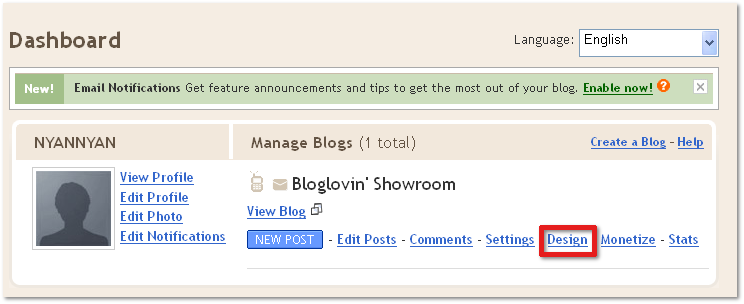
- Log on to Blogger.com and press Design on your Dashboard.
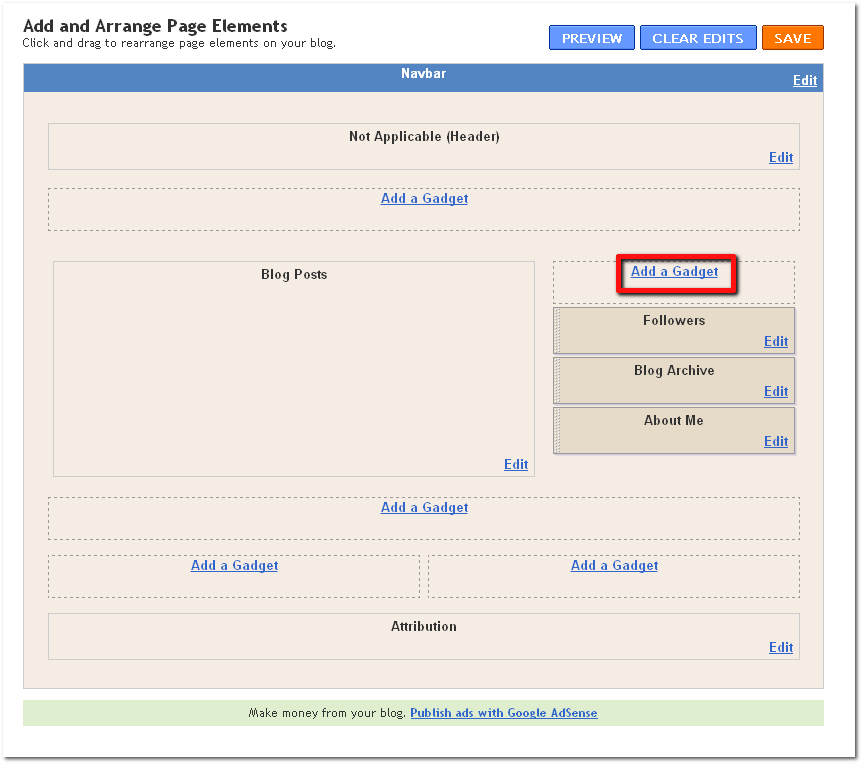
- Press Add a Gadget on the sidebar.
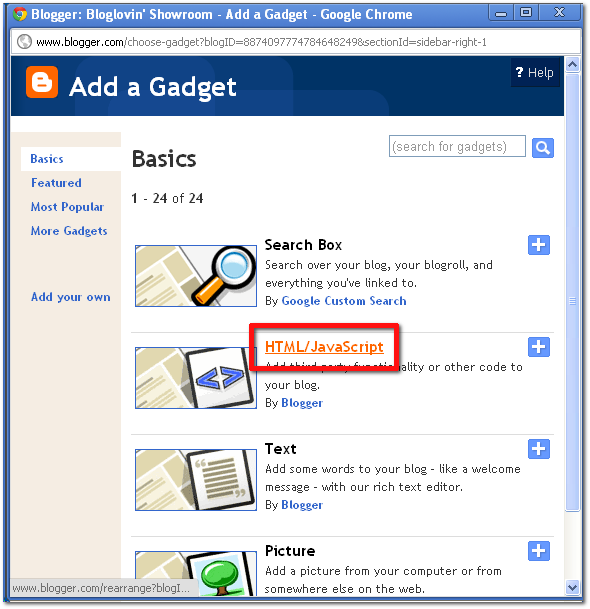
- Find and select the HTML/JavaScript gadget.
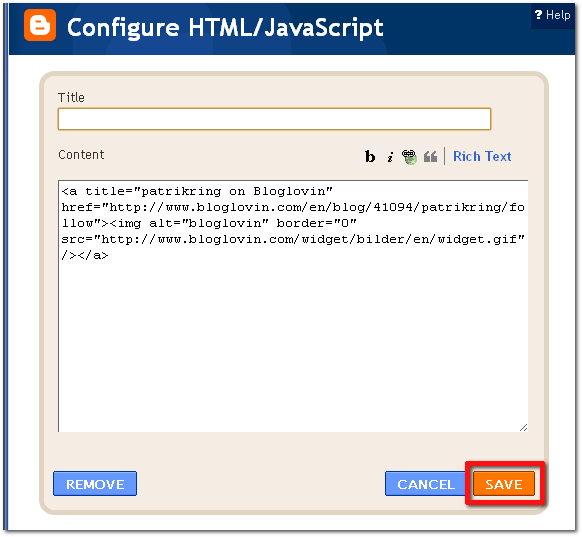
- Insert the HTML code into the textbox.

- Press Save.
- Done!
- First, log on to your Tumblr account and navigate to your blog. Press Customize in the top right corner.

- In the main navigation bar, select Theme.

- Press the Use custom HTML button.

- Find <div id="sidebar"> and paste the HTML code (see below).
Note: Most browsers have a built in search tool available by clicking either CTRL+F (PC) or CMD+F (Mac)

- Press the Update preview to make sure it looks okay.

- Press Save + Close in the top right corner

- Done!
- Enter your blog's dashboard by selecting Dashboard under the My Blog menu

- Press the Appearance button in the left sidebar.

- Select Widgets in the submenu of Appearance.

- Drag and drop the Text widget to the sidebar.

- Paste the HTML code you got from Bloglovin's widget page.

- Press Save.

- Done!
